

Epson I3200 Printhead Maintenance: A Professional Guide

Ashmael 打印头专区:https://ashmael-printer.com/print-head/
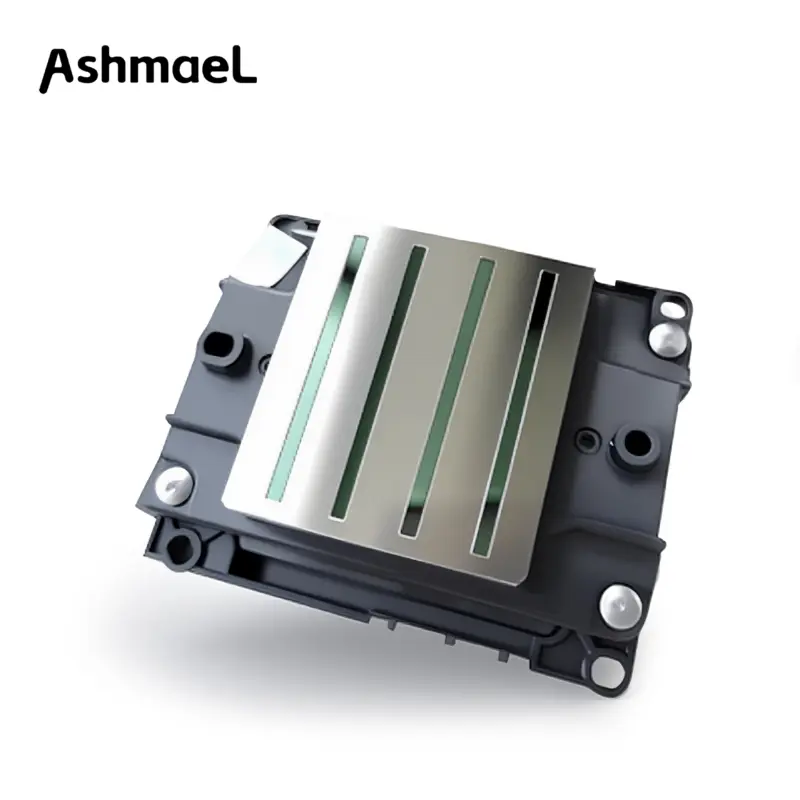
Proper Epson I3200 printhead maintenance is essential for ensuring high-quality prints and extending the life of your PrecisionCore head. In the field of digital printing, Epson I3200 has become a mainstream choice due to its high precision and excellent durability. Since the printhead is a high-value precision component, we always recommend users to adhere to the principle of “maintenance instead of repair”, and effectively avoid common problems such as clogging and skewed inkjet through scientific daily maintenance.
Why is it important to pay attention to the maintenance of I3200?
I3200 adopts micro-piezoelectric technology (MEMS), and its internal aperture is extremely fine. Improper maintenance may lead to the following problems:
- Ink drying and solidification: If exposed to air and not used for more than 3 days, the ink in the nozzle is prone to solidification.
- Physical scratches: Ink accumulation and impurities on the scraper can scratch the surface of the nozzle.
- Circuit damage: Cleaning fluid seeping into the cable interface causes a short circuit.
According to Epson’s official Data Sheet, the I3200 printhead adopts advanced PrecisionCore technology, with a nozzle density as high as 600 to 1200 nozzles per inch (npi). This extremely precise MEMS manufacturing process means that each nozzle is very small, and even a tiny amount of ink drying or fine dust can easily cause clogging. Therefore, preventive maintenance is crucial for protecting these 3200 high-precision nozzles.
Essential Epson I3200 printhead maintenance Checklist
- Daily startup: Status check
Print nozzle test page: The first thing to do after turning on the machine every day is to print a Check strip. Start the operation only after confirming that 100% of the pins are full.
Check the waste ink tube: Ensure that the waste ink can be discharged smoothly to prevent the waste ink from flowing back and contaminating the print head.
According to Epson’s official Data Sheet, the I3200 printhead adopts advanced PrecisionCore technology, with a nozzle density as high as 600 to 1200 nozzles per inch (npi). This extremely precise MEMS manufacturing process means that each nozzle is very small, and even a tiny amount of ink drying or fine dust can easily cause clogging. Therefore, preventive maintenance is crucial for protecting these 3200 high-precision nozzles.
- Daily shutdown: Sealing and moisturizing
Automatic return: Before shutting down, ensure that the print head carriage has fully returned to the Capping Station position and is tightly fitted.
Moisturizing liquid injection: If the temperature is high or the air is dry that day, 2-3 drops of special moisturizing liquid can be dropped into the capping station.
Core maintenance steps: How to clean correctly?
When a broken needle is found during the nozzle test, please handle it according to the following methods from simple to complex:
Method A: Automatic software cleaning
Perform “standard cleaning” through the printer driver or control software. It is forbidden to perform high-pressure cleaning more than 3 times in a row, as this will cause overload of the internal pressure of the nozzle and damage the film.
Method B: Manual cleaning (periphery)
Clean the wiper: Dip a dust-free cotton swab in cleaning fluid and wipe off the residual ink on the wiper.
Clean the edge of the ink cup: Ink accumulation on the edge of the ink cup will cause poor sealing, so it is necessary to keep it clean and the rubber elastic.
Method C: Manual flushing (advanced)
Note: This operation requires guidance from professionals, and the pressure must not exceed 1 psi.
Use a 60ml syringe with a hose attached.
Slowly push in the special cleaning fluid corresponding to the type of ink.
Observe that the liquid sprayed from the bottom of the nozzle should be in an orderly line curtain shape (commonly known as “water curtain”).
Suggestions for preservation during long-term shutdown (more than 3 days)
If you need to take a vacation or the machine will be idle, be sure to perform the “wet preservation” treatment:
- Thorough cleaning: Use a cleaning solution to completely replace the ink inside the nozzle until the sprayed liquid is transparent.
- Inject protective liquid: Inject a special nozzle protective liquid (not ordinary cleaning liquid).
- Physical sealing: Wrap the bottom of the nozzle with plastic wrap, or ensure it fits perfectly with the ink cup filled with moisturizing liquid, and disconnect the power supply.
Common Misunderstandings in Maintenance (Warning)
❌ Strictly prohibit the use of alcohol: Alcohol will corrode the internal glue and coating of I3200, causing permanent damage.
❌ Strictly prohibit forceful injection: Forcefully pushing water with a syringe will cause color mixing inside the nozzle or diaphragm burst.
❌ Mixing inks: The cleaning fluids for UV ink, water-based ink, and weak solvent ink are strictly prohibited from being mixed, otherwise chemical reactions will occur to form lumps.
Professional tip: Epson officially has strict requirements on the ink viscosity for the I3200 series 8. For example, the viscosity of water-based printheads (A1HD) needs to be maintained at 2.2-3.8 mPa·s, while that of UV/solvent-based ones (S1HD) is required to be between 6.0-7.0 mPa·s 9. This is why we emphasize the necessity of controlling the ambient temperature in daily maintenance, because temperature fluctuations will directly affect the ink viscosity, thereby damaging the jetting life of precision micro-film piezoelectric components.
The lifespan of the Epson I3200 print head is in your hands through meticulous management. A good environmental temperature and humidity (it is recommended that the temperature be 20°C-28°C and the humidity be 40%-60%) combined with scientific maintenance habits can easily double the service life of your print head.
Need more professional maintenance tools or consultation?
If you encounter stubborn clogs or error codes while using the I3200 printhead, please feel free to contact our technical team. We can provide you with:
✅ High-activity cleaning fluid dedicated to I3200
✅ Replacement guide for original ink cups and accessories
✅ One-on-one video technical support
For detailed technical specifications, you can refer to the:https://inkjet-solution.epson.com/knowledge/documents/